
Practice Mode vs. Assignment Mode
Neurofit Dashboard: Practice Mode vs. Assignment Mode
1. Understand the purpose of Practice Mode
- Practice Mode is a free-flowing, open-ended, exploratory experience.
- Clients can join in on-demand whenever they want.
- There is no fixed task structure; users choose how to engage with the activities.
- Each activity uses an established challenge level based on the user’s past history with that activity.
2. Understand the purpose of Assignment Mode
-
Assignment Mode is for defined tasks assigned as homework or structured work for clients.
Clients see a clear breakdown of:
- what they need to do
- when they need to do it
- by when it must be completed
- This mode is designed to provide clear criteria and expectations.
3. Configure an assignment from the provider side
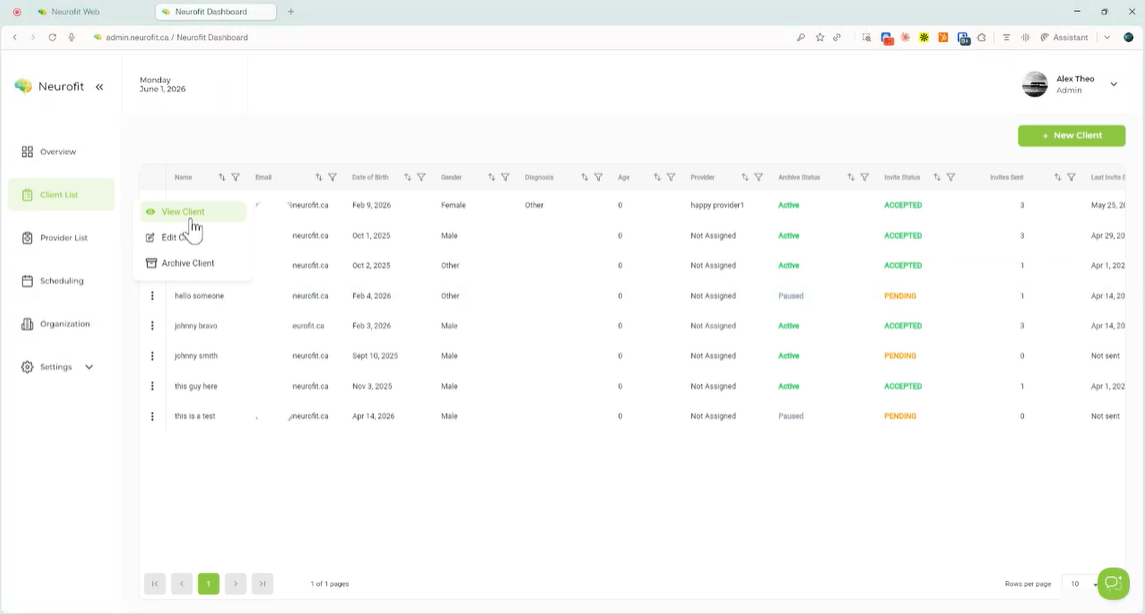
- Go to the specific client in View Client.
-
Select New Assignment.
Set the assignment parameters, including:
- amount of time the client should spend
- days of the week the assignment should run
- date range for the assignment
- time window when the client can complete it
- the activities to include
- Use the tooltip if you need help understanding when assignments will occur.
4. Save and review the assignment on the client portal
- Click Save Activity to create the assignment.
- The client will then see the assignment in their portal as part of their scheduled activities.
- Assignments appear over a period of time and can be opened for more detail.
5. Edit assignment details and difficulty settings
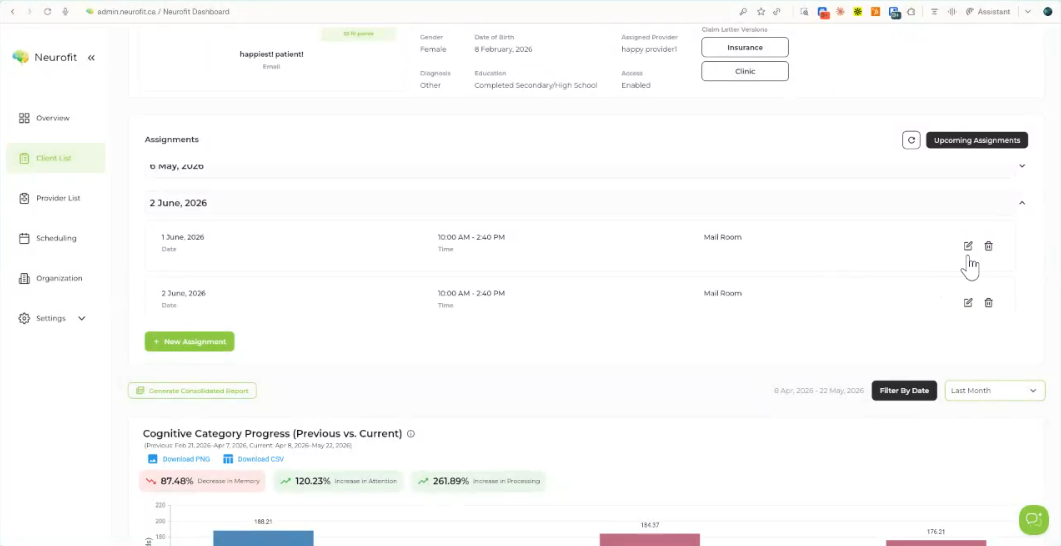
-
Open the assignment to view its pre-configured defaults.
As the therapist/provider, you can change details such as:
- time spent on the activity
- number of completions required
-
difficulty grading threshold
Difficulty can be adjusted using:
- AI-assisted recommendations
-
manual overrides
You can also modify activity variables like:
- distractors
- number of combinations of variables/stimuli
- number of alternatives in the game/activity
- The goal is to make the activity appropriately challenging for the client.
6. Use support tools and review reporting
-
If you need help configuring an assignment, use the chatbot for clarification.
The dashboard tracks data over time for both:
- assignments
- practice mode activity
- You can review this information in the client’s reports to monitor progress and changes.